Accessibility best practices for nonprofits: web and events

.svg)
.svg)
.svg)
.svg)
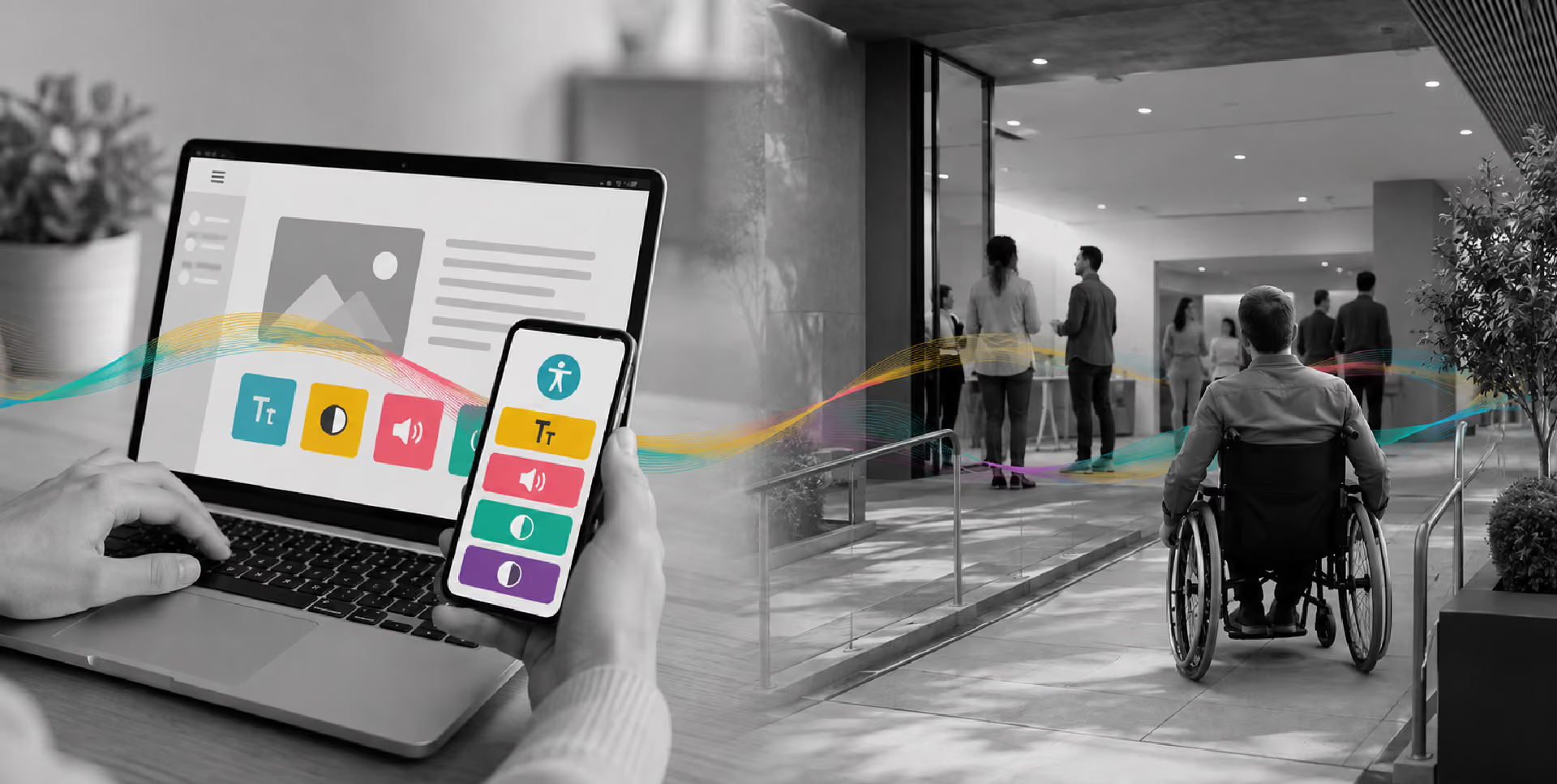
Accessibility sits at the intersection of mission and obligation for most nonprofits; beyond serving a population in which more than 1 in 4 U.S. adults lives with a disability (CDC, 2022), nonprofits must meet legal accessibility standards. So it is a concern when a nonprofit’s website can't be navigated by a screen reader or an event venue can't be entered by a wheelchair user; a nonprofit has created a barrier to the very participation it exists to support.
To help nonprofits, this is a guide to improving accessibility on websites and at in-person events. It looks at both digital and physical concerns to ensure they get the equal attention they require.
Learn more about accessibility best practices for nonprofits in this free on-demand webinar replay, which includes access to a downloadable ODF guide.
Web accessibility for nonprofits
What is nonprofit website accessibility?
Nonprofit web accessibility means designing and maintaining a website so that people with disabilities can fully use it, including anyone who relies on screen readers, keyboard navigation or captions.
Why is nonprofit web accessibility important?
Building with accessibility in mind produces better digital experiences across the board.
An inaccessible website can block visitors with disabilities from donating, signing up for programs, applying for services or registering to volunteer, among other things. Donation forms that don’t work with keyboard navigation, videos without captions and images without short descriptions added to the code (called an “alt text”) all become points where a potential supporter hits a wall.
Accessibility improvements also extend to people without disabilities. Clear heading structures, readable color contrasts and captions on video all improve the experience for older adults, users in noisy environments and anyone on mobile devices or a slow connection.
What standards should nonprofits aim for?
The Web Content Accessibility Guidelines (WCAG), published by the World Wide Web Consortium, are the established standard for accessible digital content.
WCAG 2.1 Level AA is the benchmark for nonprofits. It is the conformance level referenced in the Americans with Disabilities Act and the standard the U.S. Department of Justice adopted in its 2024 Title II rule, which extends web-standard obligations to state and local governments, as well as any nonprofits that may be delivering services under government contracts. (Read about the ADA and what it means for nonprofits, especially regarding digital accessibility.)
WCAG 2.1 Level AA is organized around four principles, sometimes shortened to POUR. These principles state that content should be:
- Perceivable – accessible to the senses, including through alt text and captions
- Operable – functional via keyboard and other input methods
- Understandable – based on clear language, predictable structure and helpful error messages
- Robust – compatible with assistive technologies like screen readers and voice recognition software.
There is a newer version, WCAG 2.2 (with WCAG 3.0 coming out soon) that builds on version 2.1 and can be used for guidance by organizations implementing accessibility for the first time, but 2.1 Level AA remains the legal reference point.
8 best practices for nonprofit web accessibility
The following web accessibility tips address common barriers, starting with the ones most likely to be affecting a nonprofit’s website right now:
1. Alt text for images
Every image should have a written description that conveys its meaning to screen readers. Decorative images can be flagged so assistive technology skips over them to avoid unnecessary clutter, but informational images without explanations create gaps. Impact photographs, program graphics and any image used in a fundraising appeal fall into the informational category.
2. Color contrast
Text and background colors need a contrast ratio of at least 4.5:1 to meet WCAG Level AA requirements. Low-contrast text, such as light gray letters on a white background, is the most common homepage accessibility failure. It is also one of the easiest to catch. Free tools like WebAIM’s Contrast Checker return a result in seconds. The ratio applies to buttons, form fields and body copy.
3. Keyboard navigation
Every action a mouse user can take should be possible with a keyboard alone, including navigating pages, completing a donation form and submitting a signup. A quick way to check is to disable the mouse and test making a donation just using the keyboard. Any sticking points should be fixed to make sure the website is more inclusive.
4. Captions and transcripts
Recorded video should have accurate captions and, where possible, a full transcript. Livestreamed events, including virtual fundraisers and hybrid galas, need live captions. Captions also serve video viewers who watch without sound, in addition to users who are deaf or hard of hearing.
5. Accessible forms and donation pages
The donation form is a high-stakes page on a nonprofit’s website and accessibility friction there can have a direct impact on whether someone completes a gift. To decrease resistance:
- Form labels belong outside input fields rather than as placeholder text within fields that disappears once clicked.
- Required fields should have clear indicators beyond color alone.
- Error messages should describe what went wrong and how to fix it.
6. Descriptive link text and heading structure
Links that read “click here” or “learn more” give screen reader users no indication of where links lead. Specific link text solves this issue immediately.
Heading tags (H1, H2, H3), which are already helpful as visual styling cues, should follow a logical hierarchy, since assistive technology uses them as navigation landmarks.
7. Team trainings
Accessibility practices fall short when the people writing copy, uploading images and producing video don’t understand the basics. A one-time onboarding session conveys vital details. Reminders embedded in content workflows hold better over time, whether they’re prompts to add alt text to uploaded images or a caption checklist before a video goes live.
8. Web accessibility audits
A web accessibility audit catches common errors quickly. Free automated tools like WAVE or Axe are useful starting points. However, these tools don’t catch everything. Manual testing and, where possible, collaborative review with people who use assistive technology, register issues that automated scans miss. An accessibility audit can be a recurring undertaking, especially after major site updates or redesigns.
Event accessibility for nonprofits
What is nonprofit event accessibility?
Event accessibility means that there are no obstacles – physical or communication barriers – to participation in fundraising and program events by attendees with disabilities.
Event accessibility predates digital accessibility as a legal expectation. The Americans with Disabilities Act of 1990 established physical access standards that apply to any venue a nonprofit uses for a public-facing event, covering ramps, accessible restrooms, barrier-free pathways and space for adaptive devices. Whether a nonprofit owns the venue or rents it, these standards apply.
Pre-event communications, speaker preparation and on-the-day staffing also shape whether someone with a disability can participate equally. It is important to build these considerations into planning from the start. It produces better outcomes than addressing requests after logistics are locked. (Learn how to stop things from going wrong at fundraising events for nonprofits.)
8 best practices for nonprofit event accessibility
The following tips cover common accessibility shortfalls in event planning and where getting it right makes the biggest difference for attendees.
1. Confirm venue accessibility before booking
Before a venue contract is signed, confirm the accessibility specifics, such as:
- ramp and elevator access
- ADA-compliant restrooms
- barrier-free pathways
- wide doorways and aisles
- electrical outlets and clear floor space for adaptive devices.
Assuming a venue adheres to accessibility standards and verifying adherence are different things. Conduct a site visit and ask directly, request written confirmation and make accessibility provisions part of the contract. A venue that can’t show or clearly answer any of these questions is a planning risk well before it becomes a day-of problem.
2. Build accessibility into invitations
Include a named accessibility contact in every invitation and registration communication so attendees can make requests before the event.
Rather than relying on vague “accommodations available upon request” language, spell out what’s available, such as assistive listening devices, live captioning, reserved front-row seating and large-print materials.
Vague language places the burden on attendees to ask for something they may not know is possible. Follow up on every request. For instance, when an accommodation is uncertain, seek guidance from the person asking rather than making an assumption.
3. Brief speakers on inclusive presenting
Speakers who haven’t been briefed on accessible presentation practices sometimes make easily avoidable choices. For example, dense slides with small fonts, visuals described orally by “as you can see here,” inconsistent microphone use and answering audience questions without repeating them first can all hurt an event’s accessibility.
Instead, speakers should verbally describe any visual content, keep slides simple and high-contrast and use the microphone consistently. In addition, presentation materials submitted well in advance can be made available to attendees who need them early and any video should have captions activated.
Small adjustments like these improve the experience for everyone in the room.
4. Designate an accessibility lead
Assign one named person – not a committee – to own accessibility on the day of the event. The role is to receive accommodation requests in real time, make decisions and delegate as needed.
Pair this role with a separate tech lead responsible for donation flow, livestreaming and wifi. This ensures both areas have a clear owner. When both roles are named in advance, issues get resolved quickly rather than passed through a chain of people who might not expect them.
5. Create and distribute a code of conduct
A pre-circulated code of conduct signals that the event is a safe and inclusive environment before anyone arrives. Beyond outlining professional behavior guidelines, it should address scent sensitivities (a request that attendees avoid heavy fragrances), food and allergy awareness and any environmental considerations.
On-site signage should clearly identify quiet rooms, lactation spaces, service animal areas and gender-neutral restrooms. Distributing the code before the event, rather than simply posting it at the door, gives attendees the information they need to prepare and signals that the organization has thought through the logistics.
6. Train staff and volunteers in disability awareness and etiquette
Accessibility doesn't stop at physical infrastructure or digital tools. How staff and volunteers interact with attendees who have disabilities is just as important. Disability etiquette training covers practical areas like asking before offering assistance, using person-first language where preferred, avoiding assumptions about limitations and knowing how to respond when someone makes an accommodation request on the spot.
General etiquette training covers a broad range of interactions, but nonprofits that serve specific populations benefit from going deeper. Attendees on the autism spectrum may experience sensory sensitivities that staff should know how to anticipate and accommodate. Anyone with cognitive or developmental disabilities benefits from clear, unhurried communication from volunteers who understand why that matters.
7. Make remote participation accessible
Planning for accessible virtual events and hybrid experiences requires the same discipline as in-person logistics. A livestreamed gala without captions has barriers to participation just as challenging as an absent ramp at a physical event.
Live captions on the stream, a promptly posted follow-up recording with a transcript and donation tools like QR codes and text-to-donate codes should appear on the livestream itself, not only in-room screens. Attendees who couldn’t make it in person may still give if the remote experience is built for them too.
8. Commit to a regular accessibility audit
Just as it is important across the web, so too do events benefit from a periodic internal accessibility review. Consider who currently owns accessibility decisions, whether accommodation requests or feedback have been tracked and addressed, and when staff and volunteers last received any accessibility training. A recurring accessibility audit, even an informal one, is more useful than a one-time fix.
Build fundraising infrastructure with Give Lively
Meeting practical and legal accessibility obligations is an ongoing effort. It evolves as an organization grows and its programs, events and digital presence change. Give Lively is no different, advancing on its own accessibility conformance work. New features are designed and built with WCAG 2.1 Level AA conformance in mind, including improvements to color contrast, keyboard navigation and interactive states. For in-person and hybrid fundraising events, Give Lively’s Event Ticketing, Text-to-Donate and Live Display tools help nonprofits run accessible, smoothly managed events.
Learn more about Give Lively’s free fundraising platform’s features today. Apply for free membership to gain immediate access to our tech or sign up for a free demo to see our platform in action.
%201.svg)