Salesforce doesn't have to be all or nothing – nor does a tech stack

.svg)
.svg)
.svg)
.svg)

Give Lively co-hosted a free webinar today with Idlewild Partners, a Salesforce consulting firm that works exclusively with nonprofits. The full session is now available as a free on-demand replay.
Mike Spadaro, Give Lively's acquisition and partnerships lead, hosted the session; Idlewild's founder and CEO Staci Rice and implementation consultant Katie Healy walked through right-sizing tech stack development and how Salesforce and Give Lively's free fundraising tools can work together.
As a bonus, Give Lively made available a free integrations guide for nonprofits that looks at why integrations matter, how to grow with them and which ones are essential to a solid tech stack.
Framing concept
The core idea is this: a tech stack, and especially Salesforce, can be whatever size a nonprofit needs. To settle on the right size, the question to ask isn't whether software is too big for a nonprofit. It's “What is the smallest configuration that solves a nonprofit’s problems today?”
To answer the question, Rice introduced the "Crawl, Walk, Run" framework – a progressive-build framing refined across hundreds of tech implementations, for organizations from $500,000 to $300 million in budget.
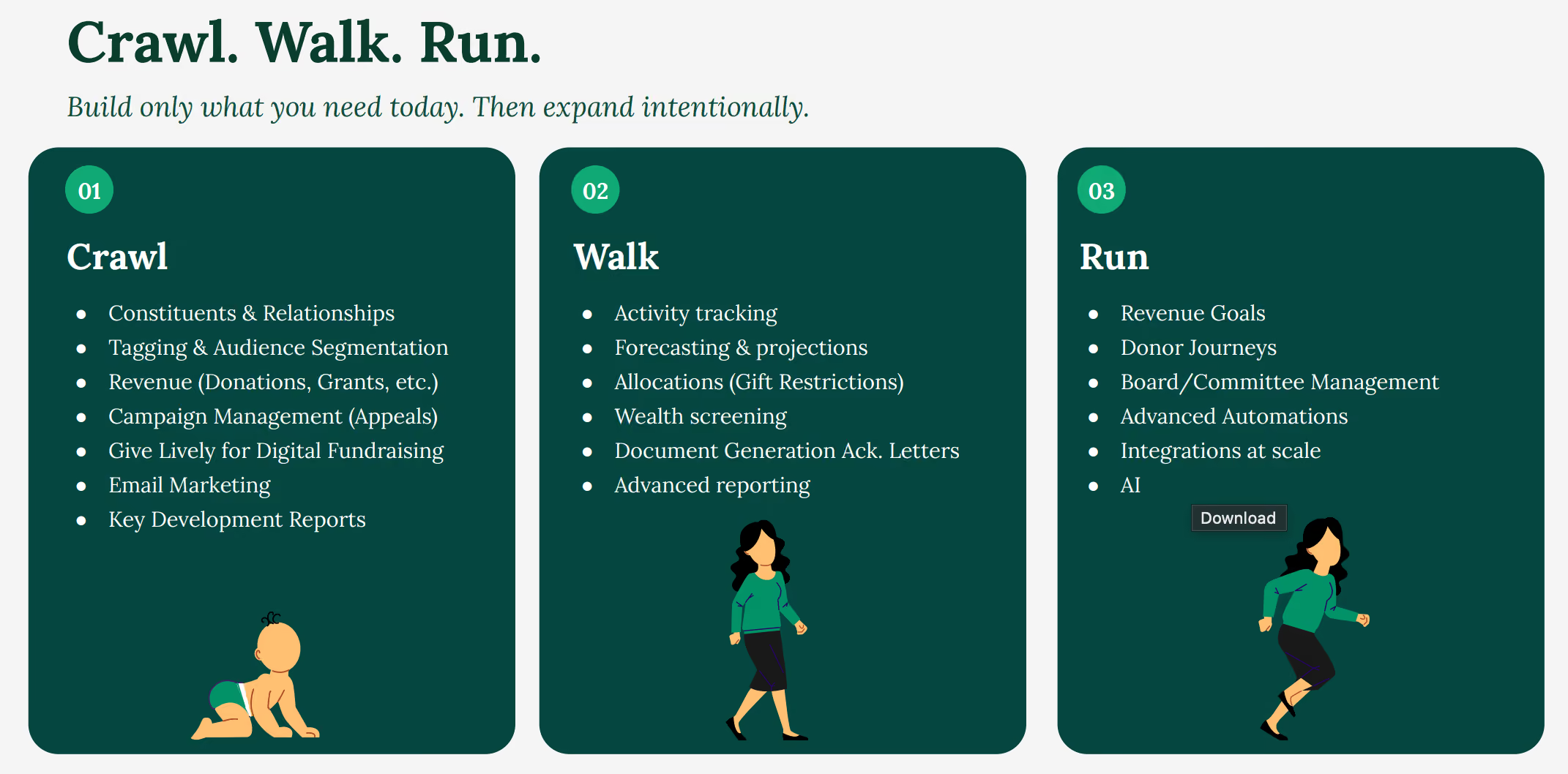
Live demo on the webinar
The centerpiece of the webinar was Rice’s comprehensive live demonstration of NPA Essentials, built by Idlewild on Salesforce Nonprofit Accelerator (NPA), a flexible alternative to Salesforce's Nonprofit Cloud or Nonprofit Success Pack, the two most standard Salesforce tools for nonprofits.
She showed in real time how it integrates with Give Lively's platform and how the two systems sync donor and gift data automatically, so a nonprofit's fundraising activity can flow directly into Salesforce without manual entry. She spent a good deal of time exploring the Salesforce dashboard, running through what can be revealed and how it can be organized, including customizable badges that help provide quick visual clarity at a glance.
A springboard, not a finished product
Rice framed NPA Essentials as a starting foundation, not a finished product. Out of the box, it already covers many things: householding, address management, relationships, campaign management, constituent tags, gift rollups for hard and soft credits, grants and deliverables, payments, recurring donations and reporting dashboards.
From there, however, a nonprofit must connect its own third-party tools for online donations, recurring gifts and events, plus email marketing. The baseline was walked through live in a Salesforce org so nonprofits could see what happens on day one.
Modular by design
Rice addressed common questions about NPA's modular design – the ability to layer on additional capabilities beyond what comes out of the box.
These extras include revenue goals and allocations, donor journeys for major gift cultivation, volunteer management, program management, case management and board or committee tracking.
Each add-on ships as separate unlocked functionality built on the same NPA core. A nonprofit only turns on the modules it's actually going to use and each one is fully owned rather than licensed.
Package design principles
Rice tied NPA Essentials’ structure to Idlewild's package design philosophy, anchored in the same principles that determine which modules make it into a first build and which get held back for later:
- It's an accelerator, not a fixed product. Nonprofits get a tailored starting point instead of building from a blank Salesforce org.
- It's built on native Salesforce features and roughly 95 percent drag-and-drop, so it upgrades automatically with every Salesforce release.
- Unused features get changed or deleted rather than left running in the background to avoid building up “technical debt” (outmoded code in need of replacement).
- Nonprofits own and control the configuration outright. Admin teams run the system day to day rather than depending on a vendor.
- Nonprofits pay for the install once – there's no recurring licensing fee. Implementation is expert-guided, but the nonprofit isn't locked into paying for it indefinitely.
Key webinar takeaways
Rice closed with four points meant to stick with attendees:
- Salesforce is a program, not a project. There's no finish line, and a well-run CRM keeps evolving.
- If a process doesn't exist on spreadsheets today, it doesn't belong in Salesforce today either.
- Add features because a team is asking for them, not because they happen to be available.
- Investment naturally ebbs and flows. Some years call for major builds, other years call for maintenance.
NPA Essentials essentials
How much does this cost?
- NPA Essentials implementations start at $25,000.
- Salesforce's Power of Us program donates 10 Enterprise licenses to eligible nonprofits (and steep discounts on additional ones).
- Give Lively's platform, including its native Salesforce integration, is free for nonprofits.
How long does it take to launch?
Most "Crawl-stage builds” (organizations assembling their constituent data in one reliable place for the first time) go live in about four weeks. This leaves nonprofits with a dashboard similar to the one featured in the demo.
We already have Salesforce, either NPSP or NPA. Now what?
NPA Essentials can be built on what's already in place. The “Crawl, Walk, Run” approach applies whether a nonprofit is starting from scratch or right-sizing an existing org, so an existing implementation doesn't need to be scrapped to bring it in line with the framework.
A free guide to the rest of the stack
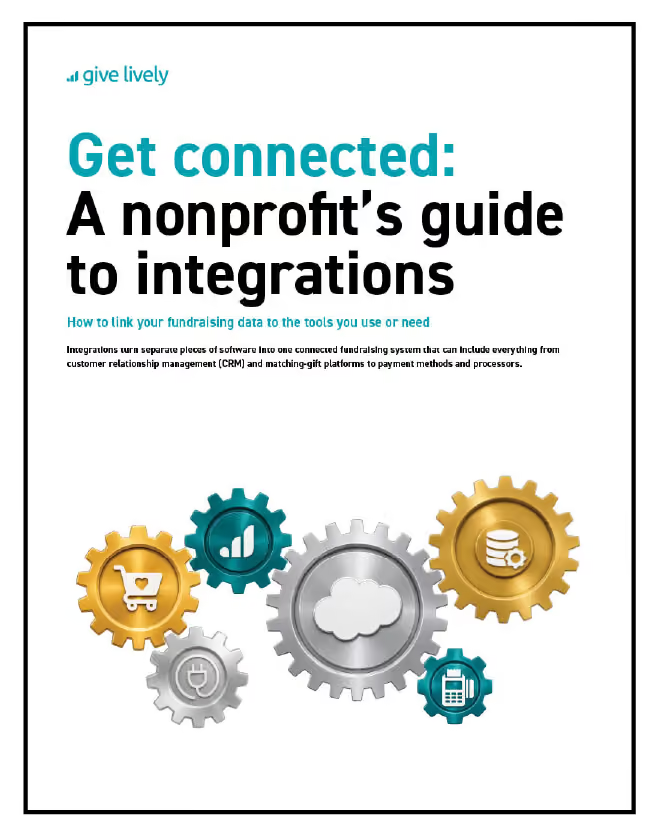
Salesforce was the primary subject of the webinar, but it's one element of a larger system. As an added benefit, Give Lively released a free downloadable guide, Get connected: a nonprofit's guide to integrations, that applies the same start-small-and-grow thinking to the full tech stack that fits around Salesforce.
Where Idlewild's “Crawl, Walk, Run” framework focuses on Salesforce, the guide looks at the tech stack Salesforce is part of. Its own version of the same philosophy comes down to three moves:
- Assemble clean core data in one place and connect it to a single fundraising platform.
- Grow into greater complexity only once a team is actively asking for a given feature.
- Watch for sprawl, since most nonprofits juggle multiple platforms at once, often with the same siloed data and manual re-entry that integrations are meant to eliminate.
The guide also walks through Give Lively's own integrations:
- the native Salesforce integration
- Zapier's no-code automations
- Double the Donation's matching-gift lookup
- and the range of supported payment processors and payment methods.
The guide includes a practical checklist so a nonprofit can map out the process needed for setting up and confirming an integration.
Organizations that left the webinar convinced their Salesforce build should stay lean will find the guide a natural next read: the same logic applied to the rest of the tools a lean Salesforce org will need to talk to.
Missed the live session?
The full webinar recording, with the complete live demo, is available for on-demand replay, along with the free integrations guide described above.
For nonprofit teams starting from zero and looking at a lean first build or teams weighing whether a Salesforce setup fits its actual size, Idlewild offers custom NPA Essentials estimates.
For the fuller story behind the "Crawl, Walk, Run" framework referenced throughout the webinar, complete with an explanation of how nonprofits ended up over-building Salesforce in the first place, read Is Salesforce too big for your nonprofit? Wrong question.
%201.svg)