Why Live Display should be part of all fundraising events for nonprofits

.svg)
.svg)
.svg)
.svg)
When the hard work of planning a fundraising event for a nonprofit is done – the venue is secured, the appeals are prepared, the board is briefed, the volunteers are coordinated – there's a big question worth asking before the big night: Once people are in the room or tuned in from home, what will keep the giving momentum going?
There are many strategies, all of which merit review, but one key quality not to be ignored is: something donors can see.
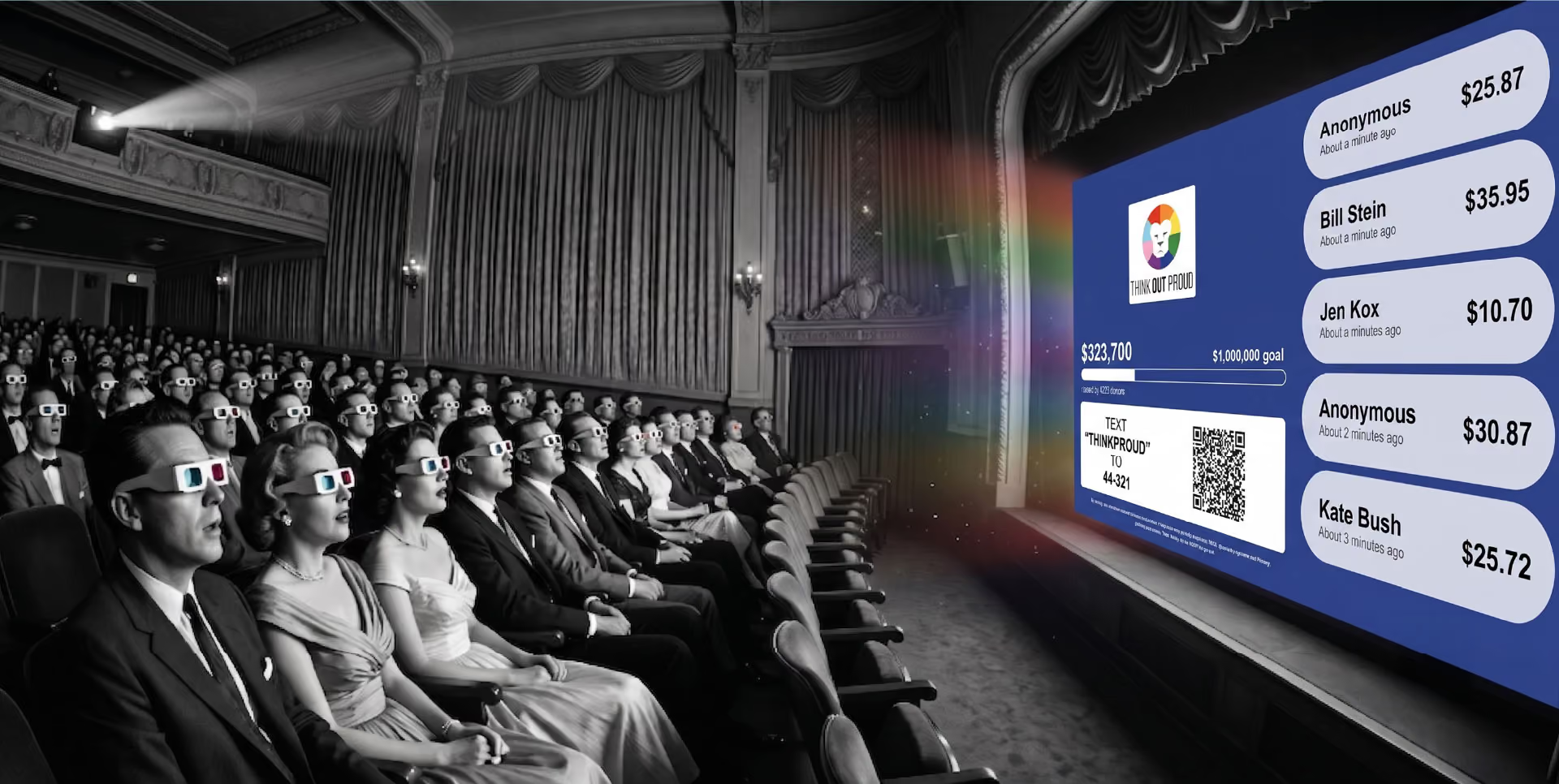
Fundraising practitioners regularly remind that people are more likely to give when they know others are giving too. It’s basic human psychology, tapping into competitive instinct, the pull of collective action, a sense of being part of something bigger than one's own individual contribution. A scroll of names and amounts or a steadily filling progress bar makes that social proof visible, immediate and powerful.
That is precisely what Live Display does. It should be part of every event toolkit.
What is Live Display and how does it work?
Live Display is a real-time donation tracker that is genuinely effective at keeping energy high when people are being asked to open their wallets.
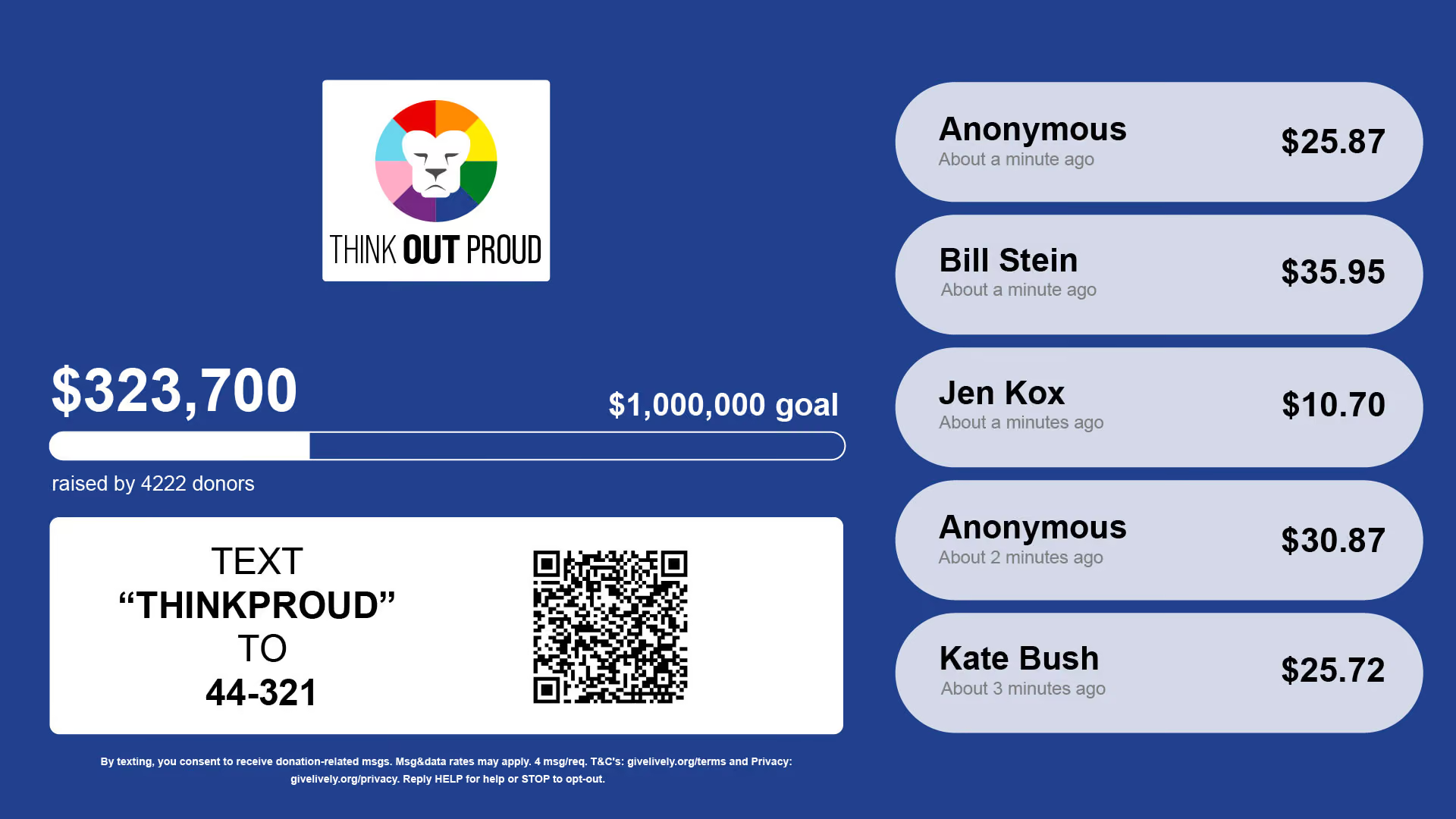
It’s like a dynamic digital thermometer with the fundraising goal and a progress bar that fills as gifts come in. Its rolling feed of recent donor names can reveal donor names or keep them anonymous. Everything updates within seconds of each payment and can include offline donation totals, so cash and checks count too.
Live Display is designed for simplicity and flexibility. Its setup is as uncomplicated as plugging in a laptop, and it is optimized for projector screens and TVs during live fundraising events or easy sharing during virtual events. On screen, there’s space for both the progress meter and the donor roll or just one or the other.
Critically, Live Display automatically inherits a campaign's branding (logo, colors, visual identity) so it looks like an integrated part of an event.
New feature: QR codes on Live Display
Live Display now supports the optional addition of an automatically generated QR code directly on the screen. This is a bigger deal than it might sound. Thus far, the standard call-to-action has been a Text-to-Donate text code – "Text [unique nonprofit code] to 44-321.” Now, attendees can simply aim their phone cameras at the QR code on a screen and land directly on a donation page. No texting, no typing web addresses, no searching. Point, scan, give.
A QR code also extends the usefulness of Live Display for different audience demographics:
- Older donors who may be unfamiliar with Text-to-Donate can use QR codes intuitively.
- Tech-comfortable donors accustomed to scanning QR codes at restaurants and events will be right at home.
- For all donors in environments where projections are large and legible from across the room, a QR code can function as a persistent, passive prompt even when the emcee isn't actively making an “ask."
The psychology behind real-time fundraising
Live Display taps into deep human feelings. Understanding how this happens can help leverage it more effectively.
When someone watches a donation come in and sees a name light up on a screen, a few things happen:
- First, the sequence signals legitimacy – If other people trust the organization enough to give, then it must be the right place to direct a gift.
- Second, it creates urgency – If the fundraising goal is close to being achieved, then there's a sense that now is the moment to contribute.
- Third, it creates a mild social dynamic – If names are visible and donors get recognition, then people who haven't given feel a gentle pull to be part of the movement.
Fundraising experts have often taken note of the "tipping point" phenomenon at live events. Once a room hits some unknowable threshold of visible participation, giving accelerates. Live Display helps get to that tipping point faster and then sustain the momentum. It makes the invisible visible, the private act of giving a publicly shared one.
This is why event-planning guides recommend building explicit "giving moments" into a program. They can be pauses during a presentation when people are called to take out their phones and respond to prompts. They work particularly well when donors immediately appreciate the impact of their actions reflected in real time.
Best practices for using Live Display at events
Whether a fundraising event for nonprofits is a gala, benefit concert, walk-a-thon or virtual event, here are several Live Display considerations to make effective use of Live Display.
Make it visible
This sounds obvious, but it still needs to be emphasized. A Live Display can’t do its job if it's tucked into a corner or projected on a screen that half the room can't see. It should be visible to all. If it’s being projected on a main screen, its legibility should be verified from the back of the room during the technical dry run. Of note: Test the optimal zoom for Live Display; depending on the screen size, 100% zoom may not provide the best fit.
Plan deliberate asks
Fundraising moments shouldn't happen by accident. One or two formal donation pauses should be built into the run of show – moments when a speaker explicitly stops, directs attention to the screen and asks the room to give. The display creates context and social proof; the emcee or executive director delivers the emotional invitation.
Recognize donors as they give
When names appear on the Live Display, some of them can be called out from the stage. It’s public thanks – not just good manners but a prompt for the next wave of givers. People who see their peers recognized are often more likely to aspire to be part of that group.
Add offline donations (ahead of time)
Offline donations are cash and check gifts. They are not automatically recorded and do not appear toward the Live Display totals unless they are added manually. Including a few before the event begins (perhaps from board members) ensures that the thermometer doesn’t start from zero at the event.
Use momentum strategically
As the fundraising goal approaches, attention should be called to it. The last 20% of a fundraising goal is often the easiest to raise at events, especially live ones, because proximity to a goal line is a powerful motivator. This key moment shouldn’t pass unnoticed.
Pair it with Text-to-Donate and QR codes
Live Display works best when giving is genuinely easy. Text-to-Donate is a natural companion. And now, with QR codes on Live Display in addition to the Text-to-Donate text code, there are multiple giving pathways simultaneously visible to every person in the room.
Virtual and hybrid events: Live Display still works
It's easy to assume that Live Display is mainly for in-person galas with projectors and big crowds. But the same principles above apply online, and the tools translate.
For virtual events
Live Display can be broadcast – shown directly to online audiences during a livestream, positioned in view of the camera or toggled in and out of the video feed. Viewers watching from home note the same progress thermometer and donor roll as attendees in a physical venue would.
The social proof effect doesn't disappear just because donors are scattered geographically; it may even be amplified, because online audiences may be more directly engaged with the cause than live attendees showing up out of social obligation.
For hybrid events
Live Display can bridge both audiences when some attendees are in person and others join remotely. The in-room screen is for people physically present; the livestream is for everyone else. Donations from both groups populate the same display, making the collective effort visible across channels.
Live Display setup considerations
Getting Live Display up and running doesn't require an IT team.
The short version: After a Campaign Page is created, the Live Display web address is simply the campaign URL with donate swapped for donations. Live Display can also be accessed directly through the Nonprofit Admin Portal. Then connect a laptop to a screen or projector, open the web page in a browser and Live Display pops up for all to see.
A couple of things to confirm in advance:
- the strength and reliability of the internet connection at the venue – Wifi that works fine for email may not necessarily hold up when multiple event tools are running simultaneously. Test it at the venue.
- the time between test donations and their appearance on Live Display – This may guide whether donor names are displayed. If a venue's wifi is unreliable, a backup slide of the Live Display page can be created with the text code and QR code to ensure donors still have a clear path to give, even if the live tracker won't update in real time.
How Give Lively can help
Whether fine-tuning a gala that's raised millions or running a first-ever live fundraiser, nonprofits face the same challenge: giving is contagious when people can see it happening. Live Display is how to make it visible and Give Lively’s Live Display is built for exactly this kind of work.
Give Lively’s Live Display is part of a broader set of event fundraising solutions, including Event Ticketing and Text-to-Donate, that work together seamlessly. They facilitate what nonprofit teams actually need at events when the stakes are high.
Every Give Lively-powered Campaign Page has its own Live Display, which automatically inherits the campaign branding. Through the Nonprofit Admin Portal admins can add offline donation totals and manage the inclusion of a QR code and donor roll. An ultimate guide to using Text-to-Donate and Live Display together at events covers both technical checklists and fundraising best practices in detail.
All Give Lively products and features are free for member nonprofits, and setup is designed to be simple with no need for outside help. New to Give Lively? Sign up for a demo, or the free membership application takes only a few minutes and allows for immediate partial access to the Nonprofit Admin Portal and exploration of what the Give Lively platform has to offer. Nonprofit membership applicants with imminent events can make note of it and Give Lively prioritizes review of time-sensitive applications.
%201.svg)